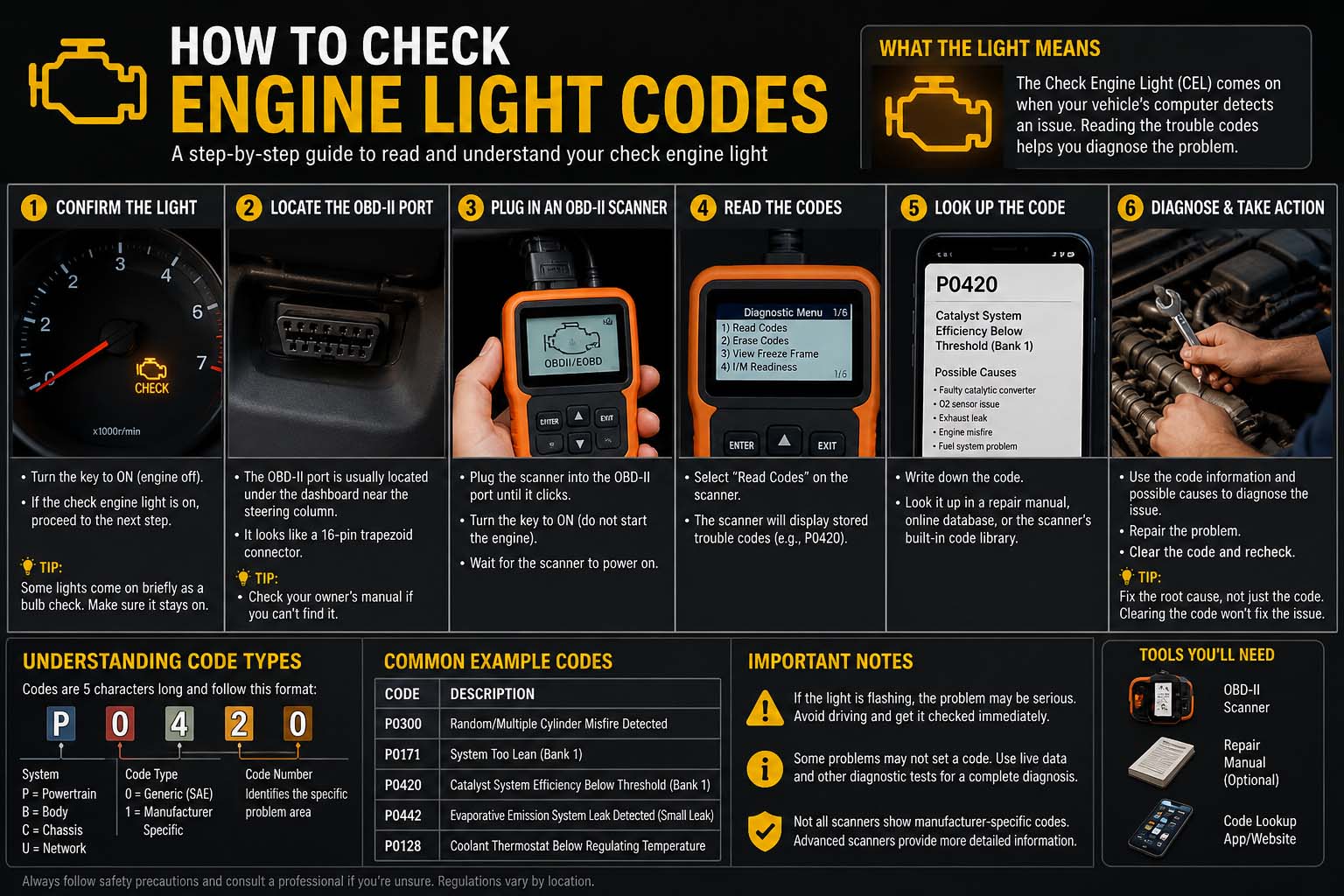
The check engine light is one of the most important warning indicators found in modern vehicles. When this light appears on the dashboard, it means the car’s onboard diagnostic system has detected a problem that may affect performance, emissions, or engine operation. Many drivers become concerned when the light suddenly turns on, but understanding how to check engine light codes can help identify the issue quickly and avoid unnecessary repair costs.
Modern vehicles use an onboard diagnostics system called OBD-II. This system stores trouble codes whenever the engine control module detects abnormal behavior. These codes help mechanics and car owners determine the source of the problem. While professional scanners make the process easier, there are also methods for checking codes without advanced equipment.
Learning how to check engine light codes can save time and money while helping drivers understand their vehicle better. Some issues are minor, while others require immediate attention. Knowing how to retrieve and clear codes properly can improve vehicle maintenance and prevent larger mechanical problems in the future.
How to Check Engine Light Codes Without a Scanner
Many drivers want to know because they may not own professional diagnostic tools. Fortunately, some vehicles allow drivers to access trouble codes manually using simple procedures.
One common method involves turning the ignition key in a specific sequence. In certain vehicles, especially older models, cycling the key from off to on several times without starting the engine can trigger the dashboard to display trouble codes. These codes may appear as blinking lights or digital numbers on the instrument panel.
Another technique involves observing the check engine light flashes. In older cars, the light may blink in patterns that represent diagnostic trouble codes. Drivers can count the flashes and compare them with manufacturer code charts to identify the problem.
Checking the vehicle owner’s manual is also helpful because different manufacturers use different methods for retrieving codes manually. Some cars require pressing specific dashboard buttons while turning the ignition on.
Although manual methods can work, they often provide limited information compared to modern diagnostic scanners. Still, learning can be useful during emergencies or when professional equipment is unavailable.
Drivers should remember that a check engine light can indicate both minor and serious issues. Loose gas caps, faulty oxygen sensors, ignition problems, or engine misfires are common causes. If the vehicle runs poorly or unusual noises occur, professional inspection is recommended.
How to Check Engine Light Codes Without a Scanner Chevy
Understanding Chevy vehicles can help Chevrolet owners troubleshoot problems more efficiently. Some older Chevy models allow manual code retrieval using dashboard indicators and ignition key sequences.
For many older Chevrolet vehicles, drivers can insert the key into the ignition and switch it on and off several times without starting the engine. After completing the sequence correctly, the check engine light may begin flashing stored trouble codes.
In certain older Chevy cars and trucks, a jumper wire can also be used with the diagnostic connector located under the dashboard. By connecting specific terminals, the check engine light flashes trouble codes in numerical patterns. Drivers can then interpret the flashes using Chevy diagnostic code charts.
Newer Chevy vehicles equipped with advanced OBD-II systems usually require a scanner for complete diagnostics. However, basic symptoms can still provide clues about the issue. Rough idling, poor fuel economy, hesitation during acceleration, and unusual engine noises often accompany stored trouble codes.
How to Clear Check Engine Light Codes
After identifying and repairing the problem, many drivers want to know how to clear check engine light codes properly. Clearing the codes resets the onboard diagnostic system and turns off the warning light if the issue has been fixed successfully.
One of the easiest ways to clear codes is by using an OBD-II scanner. Most scanners include an erase or reset function that removes stored trouble codes from the vehicle’s computer. After clearing the codes, the system begins monitoring engine performance again.
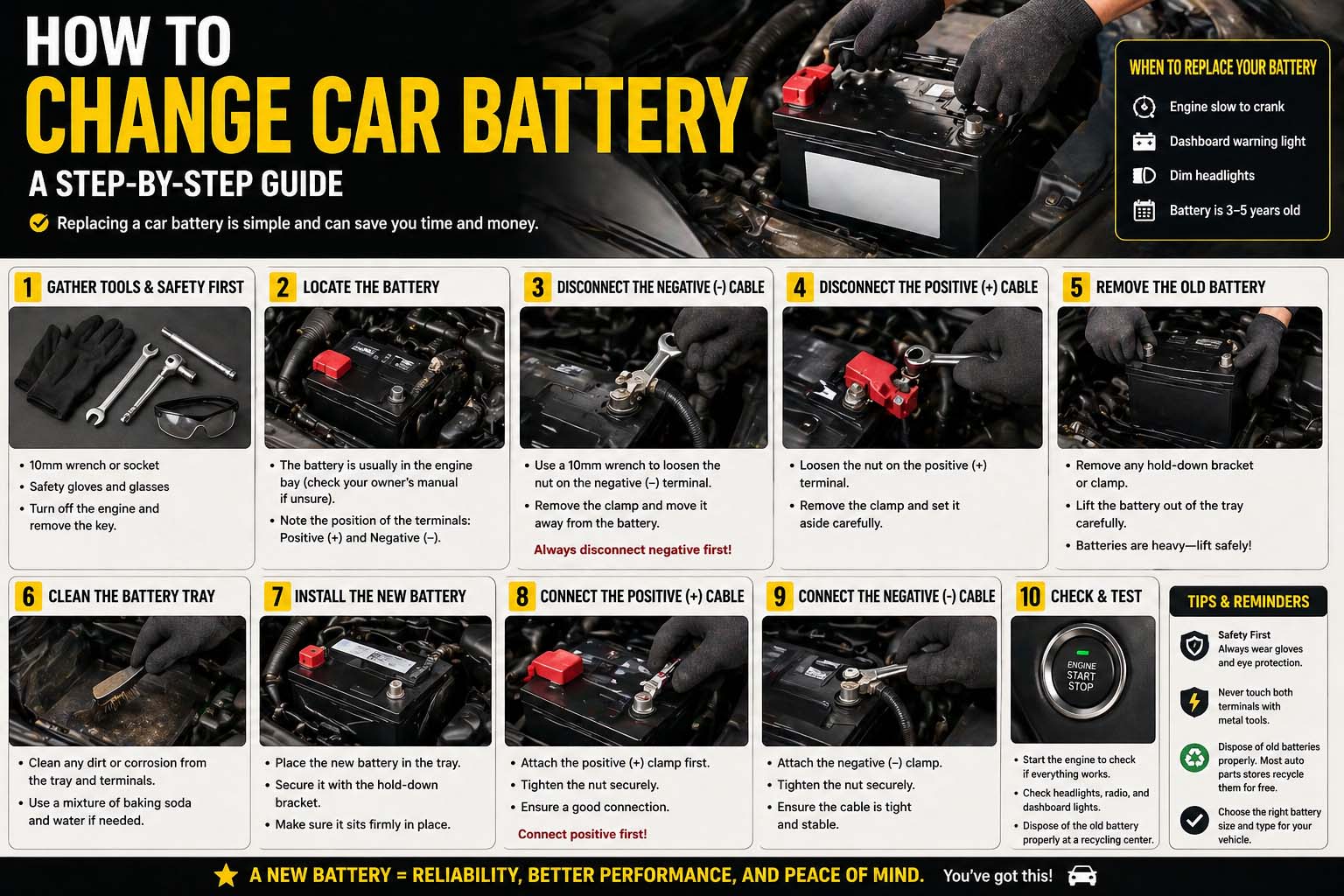
Removing the negative battery terminal can sometimes reset the engine control module and clear stored codes. However, this method may also reset radio settings, clock settings, and other electronic memory functions.
Some vehicles automatically clear inactive codes after several successful driving cycles if the issue no longer exists. This means the check engine light may turn off on its own after the car completes multiple trips without detecting additional problems.
How to Get Check Engine Light Codes Without Scanner Toyota
Many Toyota owners search for information about how to get check engine light codes without scanner Toyota methods because they want quick troubleshooting options before visiting a mechanic.
Some older Toyota vehicles allow manual code retrieval using the diagnostic connector located in the engine compartment. Drivers can connect specific terminals using a jumper wire, then turn the ignition key to the on position. The check engine light will begin flashing stored diagnostic codes in patterns.
The flashes represent numerical trouble codes that can be matched with Toyota diagnostic charts. For example, two flashes followed by one flash may represent code 21. Each code corresponds to a specific system or sensor issue.
Newer Toyota vehicles equipped with modern OBD-II systems usually require electronic scanners for full diagnostics. However, understanding common symptoms can still help narrow down possible causes. Engine hesitation, reduced fuel efficiency, rough idle, and unusual exhaust smells often indicate specific engine problems.
Conclusion
Understanding how to check engine light codes is an important skill for vehicle owners because it helps identify engine and emissions problems early. Whether using professional diagnostic tools or manual retrieval methods, checking trouble codes can prevent small issues from becoming major repairs.