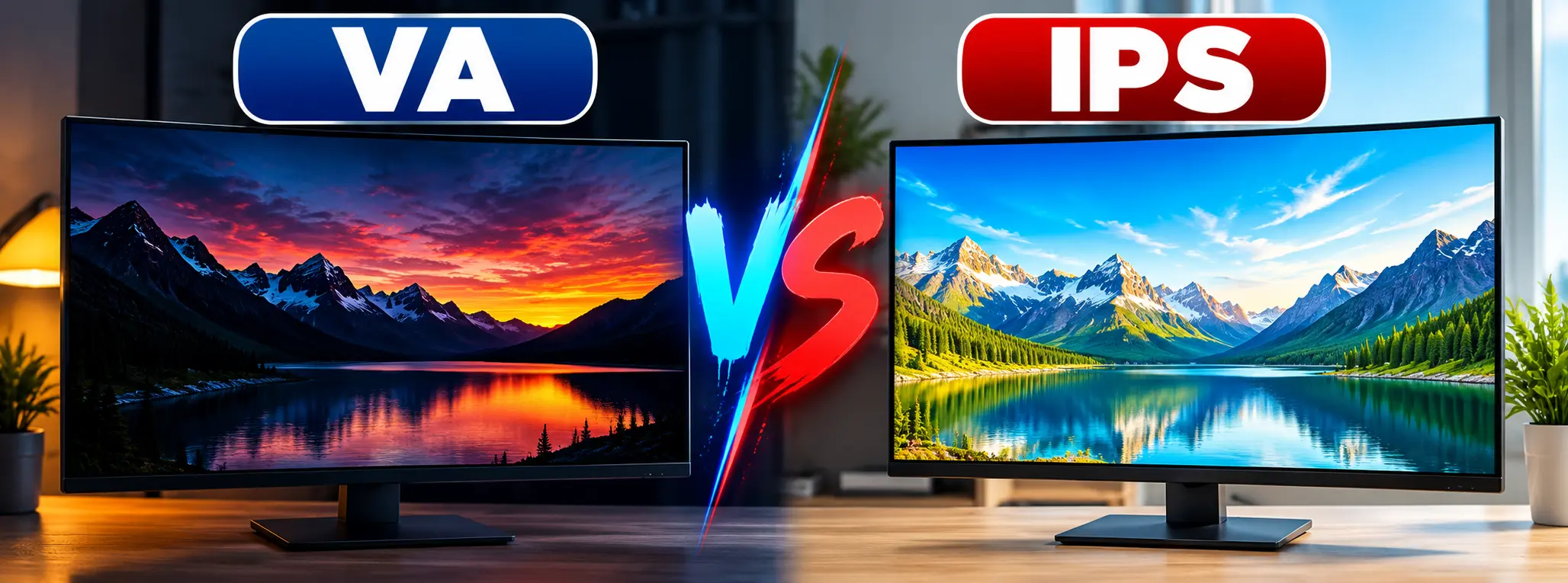
Choosing between VA vs IPS monitor panels can be confusing, especially when both display technologies offer sharp images, high resolutions, and impressive refresh rates. Although they may look similar on a product page, their differences become noticeable during gaming, movie watching, and everyday computer use.
VA panels generally deliver deeper blacks and stronger native contrast, making them attractive for dark-room entertainment. Meanwhile, IPS panels usually provide wider viewing angles, more consistent colors, and clearer motion on many gaming monitors.
However, neither technology is automatically better in every situation. Modern panel quality varies considerably, so an excellent VA monitor can outperform a budget IPS model in several areas.
Understanding how these technologies work will help you choose a monitor that matches your viewing habits, workspace, and budget.
What Are VA and IPS Monitor Panels?
VA and IPS are two types of liquid crystal display technologies commonly used in computer monitors and televisions.
Both rely on liquid crystals to control how light passes through the screen. However, their different crystal arrangements affect contrast, viewing angles, and response times.
What Is a VA Panel?
VA stands for Vertical Alignment.
In a VA display, liquid crystals align mostly perpendicular to the glass when blocking light. When voltage is applied, their orientation changes, allowing light to pass through.
This arrangement generally helps VA panels block more light when displaying black areas.
As a result, VA monitors often provide stronger native contrast than conventional IPS displays.
They are especially appealing for watching movies, playing atmospheric games, and using a monitor in a dimly lit room.
What Is an IPS Panel?
IPS stands for In-Plane Switching.
Unlike VA technology, IPS liquid crystals rotate primarily within the plane of the display.
This design helps maintain a more consistent image appearance when viewed from different angles.
Consequently, IPS monitors are popular for office work, content creation, gaming, and general computer use.
They also tend to offer strong color consistency across larger screens.
For someone building a comfortable remote work setup, an IPS monitor can be particularly useful when reading documents, joining video meetings, and working with multiple windows.
VA vs IPS: Quick Comparison Table
Before examining individual features, this table highlights the typical differences between these panel technologies.
| Feature | VA Panel | IPS Panel |
|---|---|---|
| Native contrast | Usually higher | Usually lower |
| Black levels | Deeper blacks | Blacks may appear grayish |
| Viewing angles | More noticeable image shifts | Generally wider and more consistent |
| Color accuracy | Can be excellent | Often highly consistent |
| Response times | Varies; dark transitions can be slower | Often faster and more consistent |
| Motion clarity | May show dark smearing | Usually less dark smearing |
| Dark-room movies | Often better | Good, but lower native contrast |
| Competitive gaming | Model-dependent | Often preferred |
| Office productivity | Good | Excellent |
| Price | Available across many budgets | Available across many budgets |
These differences describe common tendencies rather than guaranteed specifications.
For example, a premium VA display with advanced backlighting may perform better than an inexpensive IPS monitor in overall picture quality.
VA vs IPS Panel: Picture Quality Differences
Picture quality depends on several factors, including contrast, brightness, color performance, and screen uniformity.
Contrast Ratio and Black Levels
Contrast ratio measures the difference between the brightest white and darkest black a display can produce.
Conventional VA monitors commonly achieve native contrast ratios around 2,000:1 to 5,000:1.
Meanwhile, many standard IPS monitors offer approximately 1,000:1, although newer IPS Black designs can achieve higher contrast.
Therefore, VA panels often produce deeper-looking blacks without relying on local dimming.
This advantage becomes especially noticeable when watching dark movie scenes.
However, advanced Mini-LED backlighting and local dimming can substantially change the comparison.
Color Accuracy and Consistency
Both technologies can reproduce accurate colors when manufacturers design and calibrate them properly.
Nevertheless, IPS panels generally maintain more consistent colors and brightness across the screen.
This consistency matters when editing photographs, designing graphics, or comparing subtle color differences.
VA panels can also deliver excellent color performance. However, their appearance may change more noticeably when viewed from an angle.
For professional creative work, examine measured color accuracy and color-gamut coverage rather than relying on panel type alone.
Viewing Angles
IPS displays generally perform better when several people view the same screen.
For instance, someone sitting beside you can usually see an IPS monitor without major changes in color or brightness.
VA displays may show more noticeable shifts when viewed from the side.
Even when manufacturers advertise similar viewing-angle specifications, real-world performance can differ.
For a detailed technical comparison, see the RTINGS guide to IPS, VA, and TN monitor panels.
IPS vs VA: Which Is Better for Gaming?
Gaming performance involves more than refresh rate alone.
Response times, motion clarity, input lag, and variable refresh rate support all affect the experience.
Response Time and Motion Blur
Pixel response time describes how quickly pixels transition between colors.
Many modern IPS gaming monitors deliver relatively fast and consistent transitions.
In comparison, some VA monitors struggle with transitions between darker shades.
This can create dark-level smearing, where moving objects leave visible dark trails.
However, newer high-performance VA panels have reduced this problem significantly.
Therefore, actual response-time measurements are more useful than assuming every IPS monitor is faster.
Refresh Rate and Smoothness
Both panel types support high refresh rates.
You can find VA and IPS monitors offering 144Hz, 165Hz, 240Hz, and higher refresh rates.
However, refresh rate alone does not guarantee clear motion.
For example, a 240Hz monitor with slow pixel transitions may display more blur than a well-tuned 165Hz model.
Consequently, gamers should consider response-time performance alongside refresh rate.
Competitive vs. Casual Gaming
For competitive shooters and fast-paced esports titles, IPS often provides an advantage through consistently clear motion.
Meanwhile, VA can be attractive for story-driven games with dark environments and cinematic visuals.
Still, individual monitor performance matters more than the panel label.
VA Panel vs IPS for Movies and Entertainment
Watching movies places different demands on a monitor than competitive gaming.
Dark scenes, shadow detail, and overall contrast become particularly noticeable.
Because VA panels typically produce deeper native blacks, they often provide a more satisfying dark-room viewing experience.
For example, nighttime scenes may appear richer instead of washed out.
However, IPS monitors can be more convenient when several people watch from different seating positions.
Their wider viewing angles help preserve image consistency across the room.
HDR performance introduces another consideration.
A monitor needs suitable brightness, contrast control, and often effective local dimming to deliver convincing HDR.
Therefore, an HDR label alone does not guarantee excellent movie performance on either technology.
IPS vs VA Panel for Office Work and Content Creation
Office productivity involves reading text, managing documents, browsing websites, and working across several applications.
Both VA and IPS monitors can handle these activities comfortably.
However, IPS displays are often preferred for larger workspaces because their viewing-angle consistency helps maintain a uniform-looking image.
Photo and Video Editing
Creative professionals should prioritize color accuracy, color-gamut coverage, calibration support, and screen uniformity.
IPS monitors are frequently a practical choice because they generally provide consistent color reproduction across the display.
Still, VA monitors can also support creative workflows when their measured performance meets the user’s requirements.
For example, someone following professional video editing tips may benefit from choosing a calibrated display with appropriate color-space coverage rather than selecting a monitor based only on its panel technology.
Text Clarity and Reading
Panel type alone does not determine text sharpness.
Resolution, pixel density, subpixel arrangement, operating-system scaling, and screen coatings also influence readability.
For instance, a 27-inch 1440p monitor generally provides sharper text than a similarly sized 1080p display, regardless of whether it uses VA or IPS technology.
Therefore, office users should consider resolution and viewing distance alongside panel type.
VA vs IPS: Advantages and Disadvantages
Each technology offers practical benefits and limitations.
Advantages of VA Panels
- Typically stronger native contrast
- Deeper blacks in dark environments
- Attractive picture quality for movies
- Suitable for immersive single-player games
- Available in many curved monitor designs
Disadvantages of VA Panels
- Some models experience dark-level smearing
- Viewing angles are generally less consistent
- Color and brightness shifts may appear off-center
- Motion performance varies considerably between models
Advantages of IPS Panels
- Generally wider viewing angles
- Consistent colors across the screen
- Often faster pixel transitions
- Strong performance for competitive gaming
- Well suited to productivity and creative applications
Disadvantages of IPS Panels
- Typically lower native contrast
- Blacks may appear gray in dark rooms
- IPS glow may be noticeable near screen corners
- Premium models can be expensive
Neither technology eliminates every display limitation.
Instead, manufacturers balance panel performance, backlighting, electronics, and cost differently.
How to Choose Between VA and IPS Monitors
Rather than choosing solely by panel type, consider how you actually use your computer.
Step 1: Identify Your Main Activity
Start by deciding whether your monitor will primarily support gaming, office work, movies, or content creation.
For competitive gaming, prioritize motion clarity and measured response times.
For dark-room entertainment, native contrast becomes more valuable.
Meanwhile, creative professionals should focus on color consistency and calibration performance.
Step 2: Compare Real Performance Measurements
Manufacturer specifications do not always reveal how a monitor performs in practice.
Therefore, look for independent testing covering:
- Native contrast ratio
- Pixel response times
- Motion overshoot
- Input lag
- Color accuracy
- Viewing-angle performance
- Brightness and HDR capabilities
These measurements provide a clearer picture than marketing claims alone.
Step 3: Consider Your Room Lighting
Bright rooms can reduce the visible difference between VA and IPS black levels.
However, in darker environments, VA’s higher native contrast often becomes more noticeable.
Screen reflections and coating quality also matter.
Step 4: Check Resolution and Connectivity
Choose a resolution appropriate for your screen size and computer hardware.
Likewise, confirm that the monitor supports the refresh rate you want through its available HDMI or DisplayPort connections.
If you use a laptop, check whether its video output supports the monitor’s intended resolution and refresh rate.
Common Mistakes When Comparing Monitor Panels
One common mistake is assuming all VA monitors have slow response times.
Although some models show noticeable dark smearing, others perform much better.
Similarly, not every IPS display offers professional-level color accuracy.
Another mistake is choosing a monitor based entirely on advertised response-time numbers.
For example, a claimed 1ms response time may represent a specific testing condition rather than typical real-world performance.
Finally, buyers sometimes overlook ergonomics, connectivity, warranty coverage, and screen size.
These factors can influence everyday satisfaction just as much as panel technology.
Frequently Asked Questions
Is VA or IPS better for your eyes?
Neither panel technology is inherently healthier for your eyes. Instead, comfortable brightness, reduced glare, suitable text size, and regular screen breaks can help reduce visual discomfort.
Is IPS better than VA for gaming?
IPS is often preferred for competitive gaming because many models offer clearer motion. However, a fast VA monitor can also provide an excellent gaming experience.
Do VA panels have better blacks?
Generally, yes. VA panels usually deliver higher native contrast, producing deeper blacks than conventional IPS displays without local dimming.
Are IPS monitors more expensive?
Not necessarily. Both technologies are available at budget, midrange, and premium price points. Features and overall performance influence pricing more than panel type alone.
Is VA or IPS better for a curved monitor?
VA panels are common in curved monitors, partly because their stronger contrast suits immersive displays. However, curved IPS monitors are also available, and the better choice depends on the specific model.
Which panel lasts longer?
Neither technology has a guaranteed lifespan advantage. Build quality, operating conditions, backlight durability, and usage patterns all influence monitor longevity.
Which Monitor Panel Should You Choose?
The best choice in the VA vs IPS comparison depends on what matters most during everyday use.
Choose a VA monitor if you prioritize deeper blacks, stronger native contrast, and immersive entertainment in darker environments.
Meanwhile, consider IPS if you value consistent colors, wider viewing angles, and generally strong motion clarity for gaming or productivity.
However, do not assume panel technology tells the entire story.
Before purchasing, compare independent reviews, response-time measurements, resolution, brightness, and connectivity.
A well-designed monitor that suits your actual needs will usually provide a better experience than one selected purely because it uses VA or IPS technology.