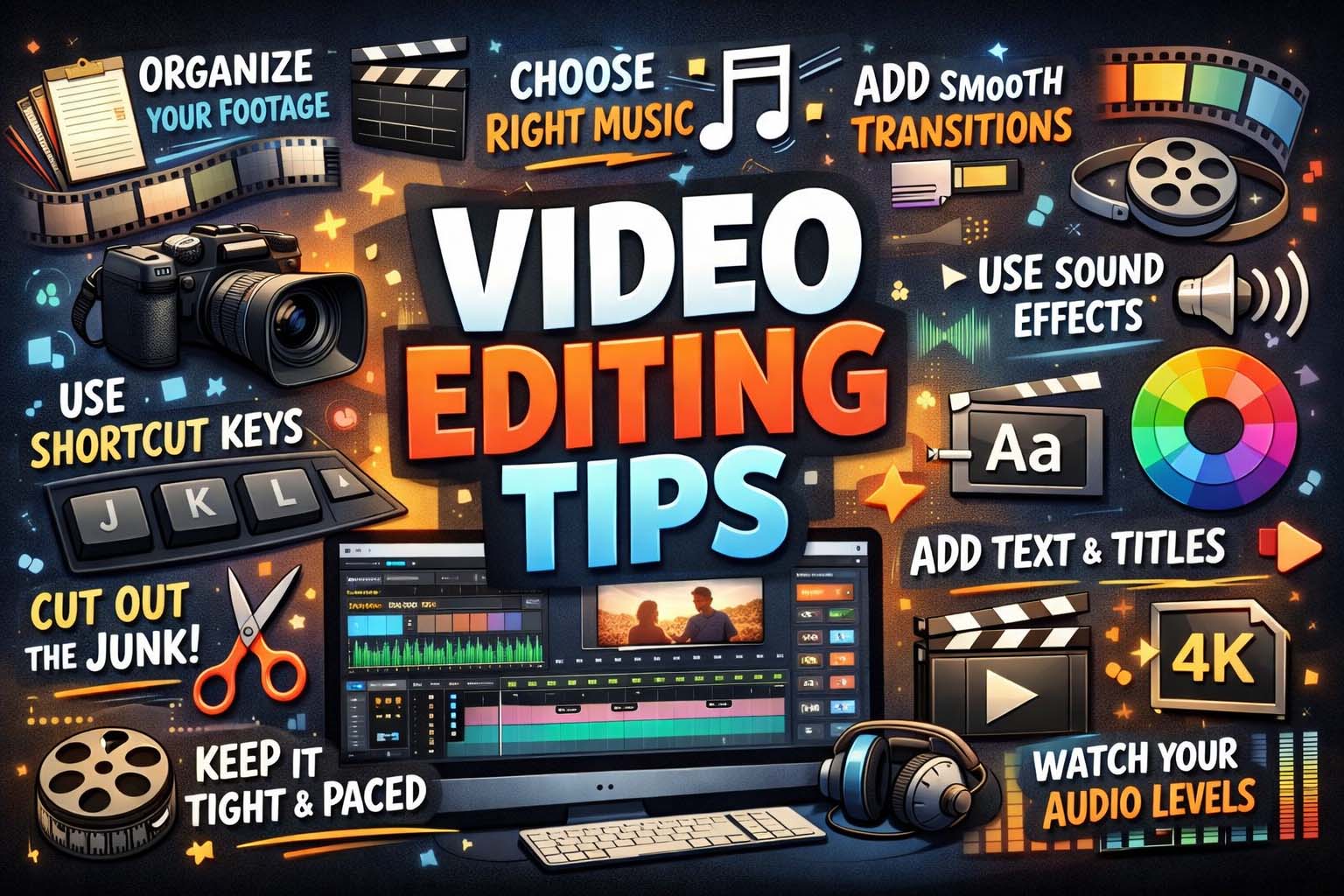
Creating high-quality videos is no longer limited to professional filmmakers. Today, anyone with a smartphone or computer can produce engaging content for social media, YouTube, business marketing, or personal projects. However, recording footage is only the first step. Great editing transforms raw clips into polished videos. That is why learning useful video editing tips is essential for creators of all levels.
Whether you are editing short clips for social media or long-form tutorials, the right techniques can improve pacing, storytelling, and visual quality. Keeping your project files organized is equally important, and using best photo backup solutions can help protect valuable video footage, thumbnails, and editing assets from accidental loss.
Plan Before You Edit
One of the best ways to improve editing results is to start with a clear plan. Before opening your editing software, review your footage and decide what message you want the video to deliver. Organize clips into folders, label important scenes, and create a rough structure.
Planning saves time and helps you avoid confusion later. Instead of randomly placing clips on the timeline, you will know exactly what scenes belong in the final cut.
Keep the First Seconds Engaging
The first few seconds of a video are extremely important. Viewers quickly decide whether to continue watching or scroll away. Begin with a strong hook, interesting scene, bold statement, or exciting movement.
For social media creators looking for TikTok video editing tips, fast openings are especially important because short-form platforms reward attention-grabbing intros. Use dynamic cuts, captions, and energetic pacing to capture viewers immediately.
Cut Unnecessary Footage
A common beginner mistake is leaving too much filler in the final video. Remove pauses, mistakes, repeated phrases, or scenes that do not add value. Tight editing keeps viewers interested and improves watch time.
Every clip should have a purpose. If a scene does not support the story, message, or entertainment value, consider trimming it.
Use Smooth Transitions
Transitions help clips flow naturally from one scene to another. While flashy effects can be fun, simple cuts and subtle fades often look more professional. Overusing dramatic transitions may distract viewers.
Clean transitions are one of the easiest video editing tips and tricks for making content look polished without much effort.
Improve Audio Quality
Many creators focus only on visuals, but sound quality is equally important. Poor audio can make viewers leave even if the video looks great. Record clear voiceovers, reduce background noise, and add music carefully.
Use music that matches the mood of your video, but keep it lower than spoken dialogue. Clear voice audio builds trust and professionalism.
Add Text and Captions
Captions help viewers understand content, especially when watching without sound. This is useful for social media, tutorials, interviews, and business videos.
For short-form creators using mobile apps, CapCut video editing tips often include adding stylish text overlays, animated subtitles, and trending caption styles. Captions also improve accessibility and audience retention.
Use Consistent Branding
If you create content regularly, consistent branding helps people recognize your videos. Use similar fonts, colors, intro screens, and editing styles across your uploads.
Brand consistency is especially useful for businesses, influencers, and YouTube creators trying to grow a loyal audience.
Focus on Pacing
Good pacing keeps viewers interested from start to finish. Fast-paced edits work well for comedy, travel, sports, and TikTok content. Slower pacing may suit storytelling, educational videos, or emotional content.
Experiment with clip length and rhythm. If a video feels boring, trim scenes faster. If it feels rushed, allow more breathing room.
Color Correct Your Footage
Color correction improves brightness, contrast, and white balance so clips look clean and professional. Color grading can then add style and mood.
Even basic adjustments can dramatically improve video quality. If your footage looks dull or too dark, correcting color should be one of your first editing steps.
Add B-Roll for Visual Interest
B-roll refers to extra footage used to support the main scene. For example, if you are talking about coffee, show clips of coffee being poured, beans grinding, or a café setting.
B-roll makes videos more dynamic and reduces the need for constant talking-head shots. It is a powerful storytelling tool.
YouTube Video Editing Tips for Longer Content
Creators making tutorials, vlogs, or reviews can benefit from specific YouTube video editing tips. Since YouTube videos are often longer, maintaining attention is critical.
Use chapter sections, zoom-ins, on-screen graphics, and pattern interrupts to keep viewers engaged. Remove slow moments and repeat key information visually. Thumbnails and intros matter, but retention depends heavily on editing quality.
Use Keyboard Shortcuts
Learning keyboard shortcuts can speed up editing dramatically. Most editing software allows shortcuts for cutting clips, undoing actions, zooming timelines, and moving clips. Understanding concepts like analog vs digital can also provide useful background on how modern video and audio technologies have evolved.
Keyboard shortcuts improve efficiency, especially for frequent editors.
Export in the Right Format
Once editing is complete, export the video using settings that match the platform. Vertical formats work best for TikTok, Instagram Reels, and Shorts. Horizontal widescreen formats are ideal for YouTube and websites.
Use high enough resolution for quality, but compress files efficiently for faster uploads.
Keep Learning New Techniques
Video trends and software tools constantly evolve. Stay updated by watching tutorials, testing new effects, and analyzing successful creators. Each project teaches something new.
Even experienced editors continue improving through practice and experimentation. As you become more experienced, understanding the basics of reverse engineering meaning can also be valuable when studying how editing software, file formats, or digital tools work behind the scenes.
Common Mistakes to Avoid
Many beginners overuse effects, use loud music, forget captions, or leave videos too long. Simplicity often performs better than cluttered editing. Focus on clarity, pacing, and storytelling before advanced effects.
The best edits usually feel natural rather than flashy.
Conclusion
Mastering video editing tips can dramatically improve the quality of your content, no matter what platform you use. Whether you need TikTok video editing tips for short viral clips, YouTube video editing tips for longer content, or CapCut video editing tips for mobile creation, the basics remain the same: strong pacing, clear audio, clean visuals, and engaging storytelling.